▸ Photo cleaner for iPhone
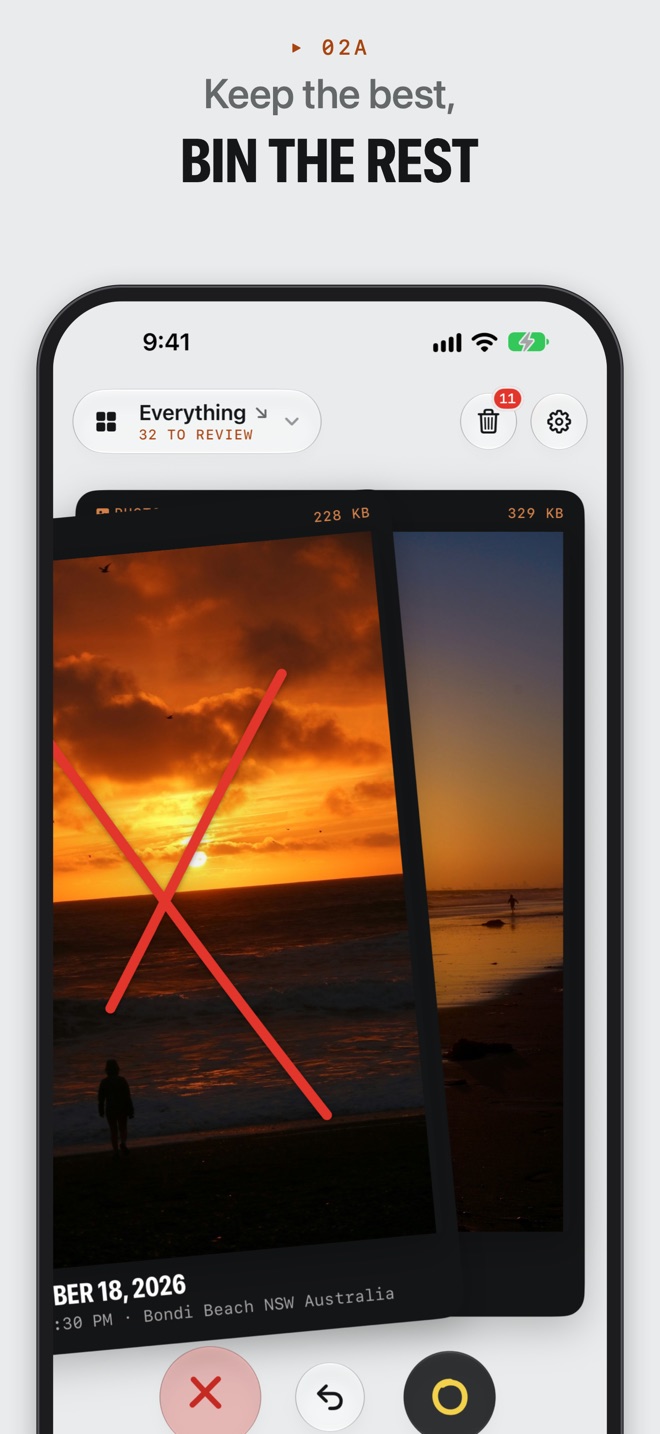
Keep the best.
Bin the rest.
Sift shows your photos one at a time. Swipe right to keep, left to bin. Nothing's deleted until you say so.

Free for 20 a day · Photos never leave your phone








How it works
▸ 01A
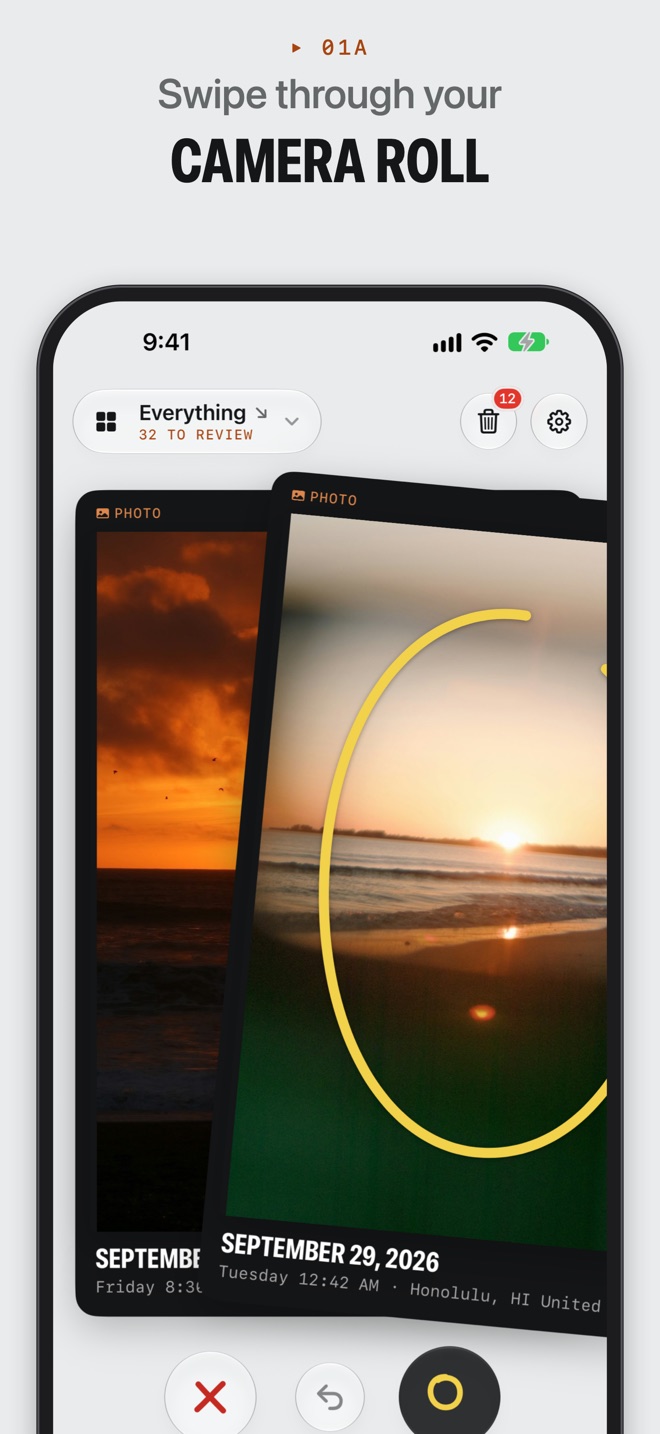
Swipe
Your photos and videos, one at a time. Right to keep, left to bin. Changed your mind? Undo.
▸ 02A
Review
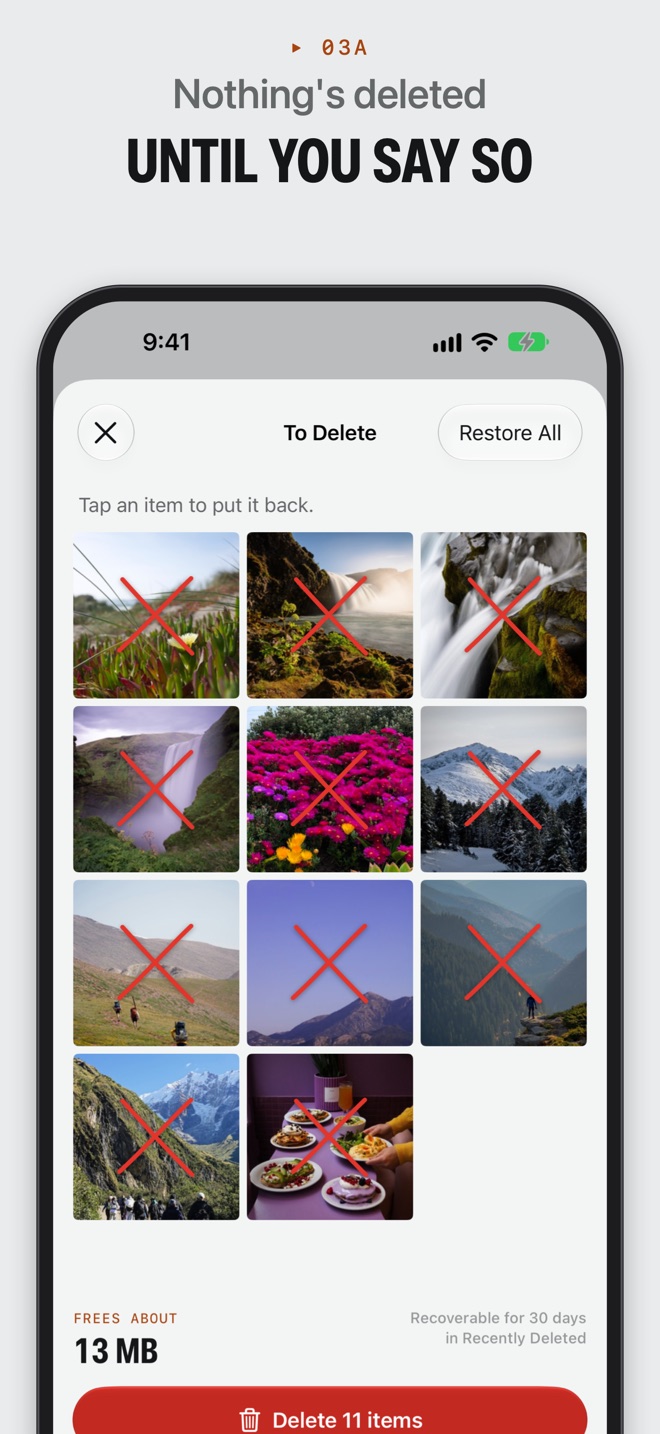
Everything you bin waits in the bin. Tap anything to put it back, and see how much space it'll free.
▸ 03A
Delete
One confirmation clears the lot. It all stays in Recently Deleted for 30 days, just in case.
Made for the clutter you actually have
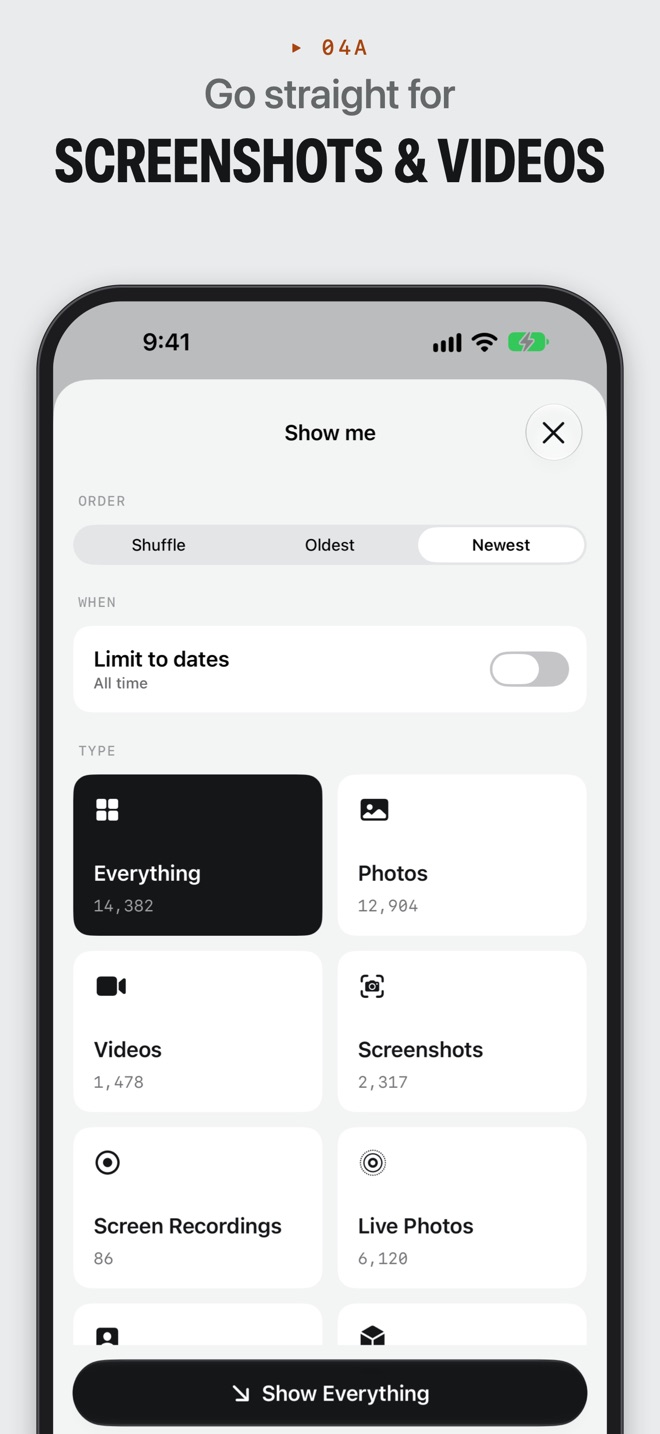
- Go straight for the clutter
- Screenshots, screen recordings, bursts, long videos, Live Photos, selfies and more.
- Pick a date range
- Sort last summer's trip, or just the past week. Shuffle, or go oldest or newest first.
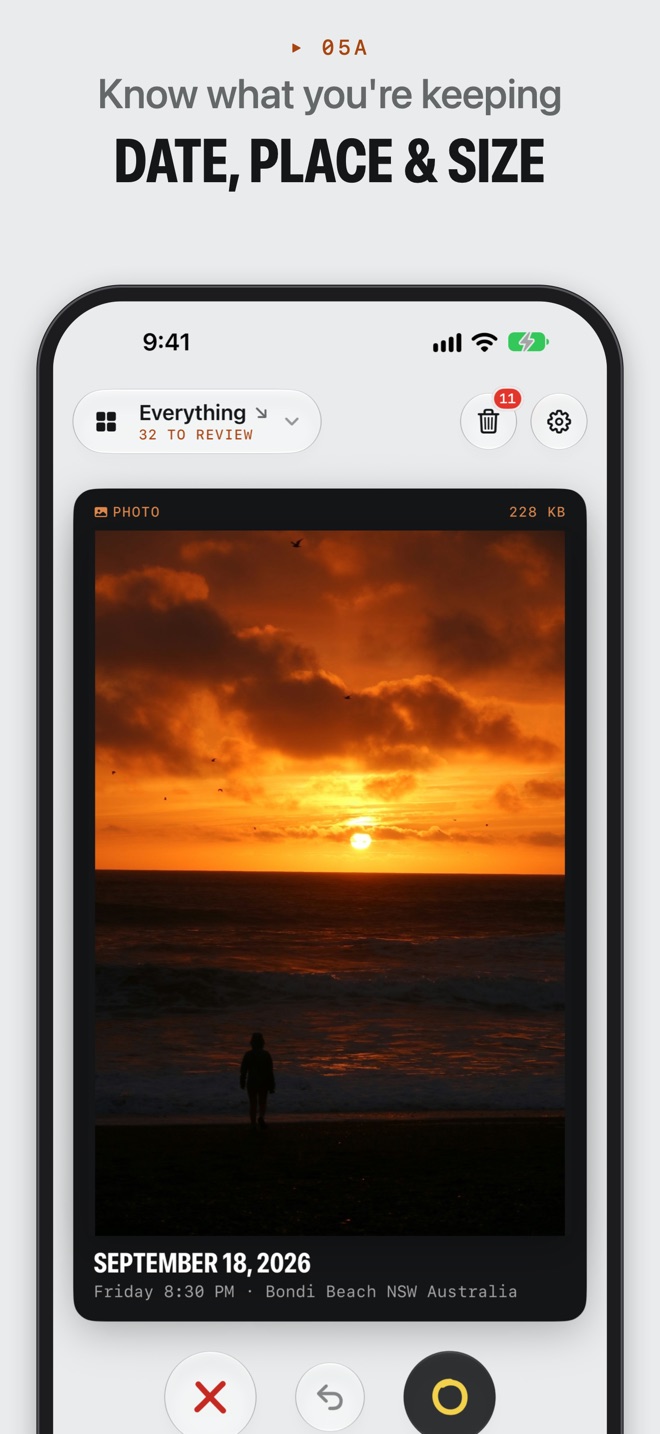
- Know what you're looking at
- Each card shows the date, place, type and file size before you decide.
- Kept means kept
- Anything you keep is skipped next time, so every session picks up where you left off.
- Works with iCloud Photos
- Originals download only when you look at them, with progress, so nothing's wasted.
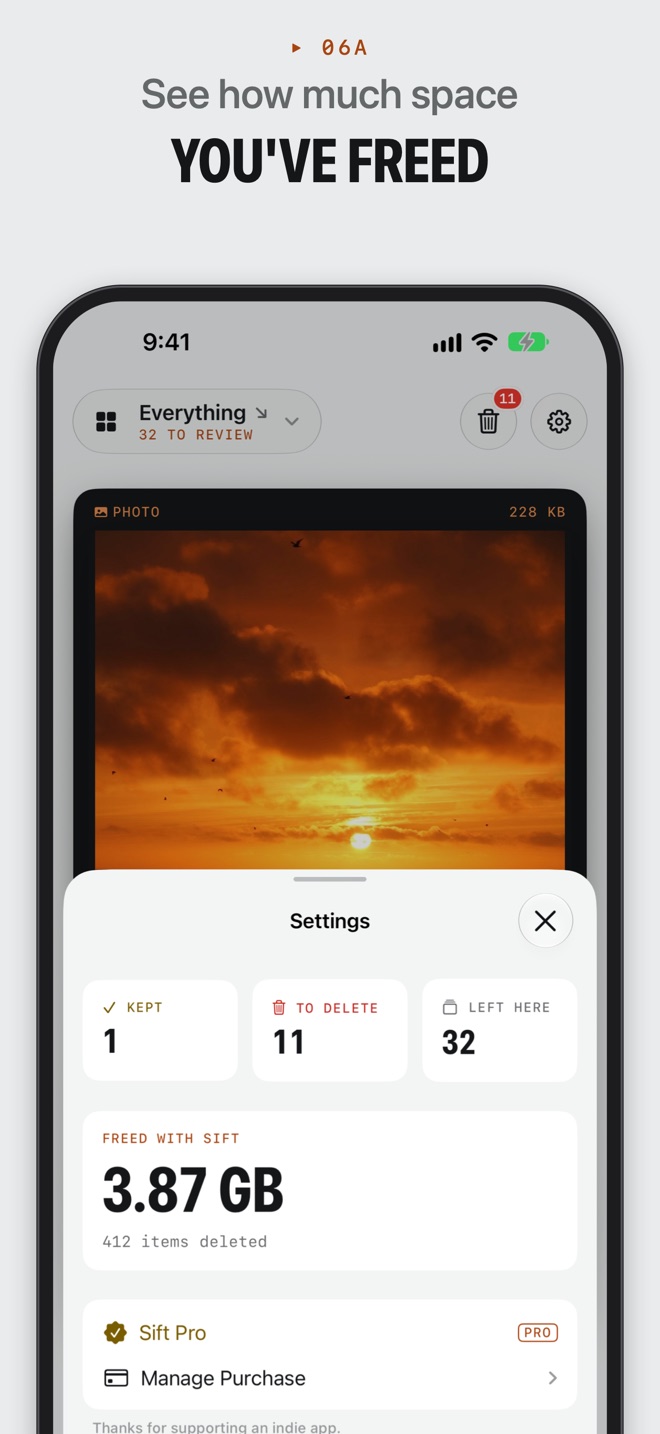
- See what you've freed
- Sift keeps a running total of how much space you've cleared. It's weirdly satisfying.
▸ Privacy
Your photos stay on your phone
No account, no uploading, no cloud processing. Sift reads your library on your iPhone and deletes only what you confirm. The only data that leaves your phone is anonymous usage analytics and your purchase status.
Simple pricing
No weekly subscriptions. Ever.
Free
US$0 forever
- 20 decisions a day
- The bin, undo and restore
- Unlimited deleting
Pro, yearly
US$4.99 per year
- Unlimited decisions
- Filters: screenshots, videos and more
- Date ranges and ordering
Pro, lifetime
US$19.99 once
- Everything in Pro
- Pay once, keep it
- Supports an indie developer
Prices in US dollars. The App Store shows the price in your currency.
Questions
Does Sift delete anything without asking?
Never. Swiping left only puts a photo in Sift's bin. Nothing leaves your library until you tap Delete and confirm iOS's prompt, and even then it sits in Recently Deleted for 30 days.
Does Sift upload my photos?
No. Sift works entirely on your iPhone. There's no account, and your photos are never uploaded anywhere.
Is Sift free?
Yes, Sift is free for 20 decisions a day. Sift Pro removes the daily limit and unlocks filters, date ranges and ordering, with a yearly subscription or a one-time purchase. There are no weekly subscriptions.
Does it work with iCloud Photos?
Yes. Photos that aren't on your device download when you get to them, with a progress indicator.
Does Sift find duplicate photos?
Not automatically. Sift is about you deciding, quickly. Shuffle or a tight date range puts similar shots side by side, which makes near-duplicates easy to bin.
What do I need?
An iPhone running iOS 27 or later, and full access to your photo library so Sift can show everything and delete what you bin.
Give your camera roll
a tidy